
If you've received an email to tell you that your account is being updated in July 2026, you'll need to reconnect your MyBristolHousing account.
This will let you see your rent and your housing application using one email address.
You'll need:
- your mobile phone number
- your Person Reference Number
We sent your Person Reference Number to you in earlier emails about these changes. If you cannot find it, call us on 0117 922 2200.
Step 1
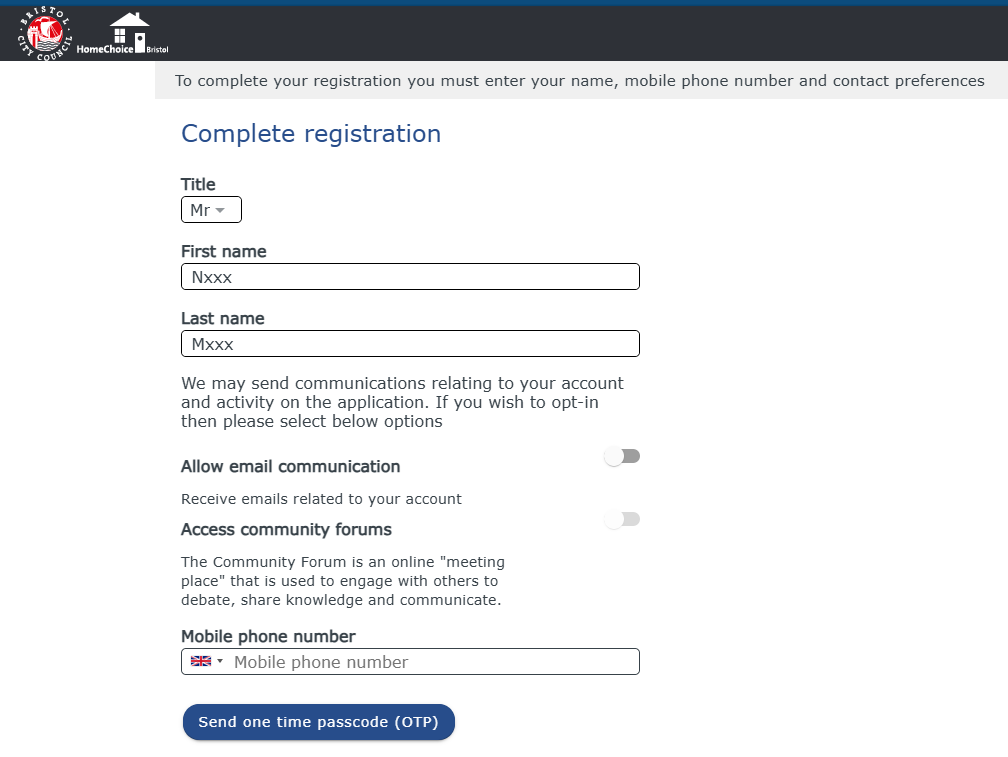
Once you log in to your Bristol Account, you'll be taken to the ‘Complete registration' page.
- Check your title, first name, last name are correct.
- Enter your mobile phone number and let us know if you want to receive emails from us. This is recommended as it allows us to send you important updates about your account.
- Now select ‘Send one time passcode (OTP)'.
Step 2
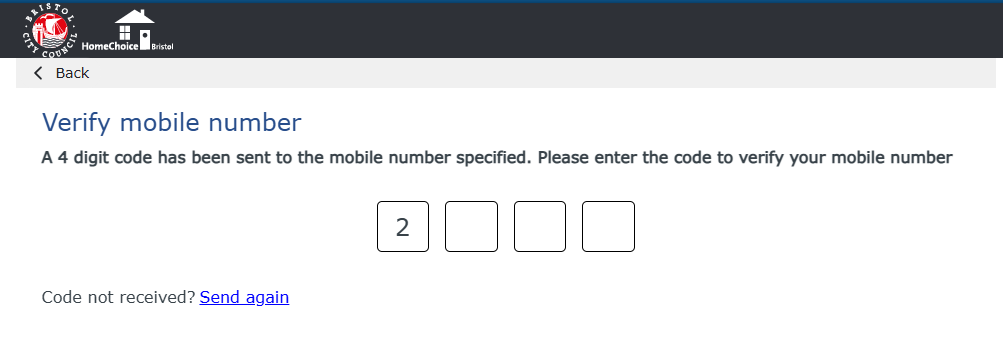
Now you'll be asked to verify your mobile number by entering the 4-digit code that was sent to your phone by text message.
Step 3
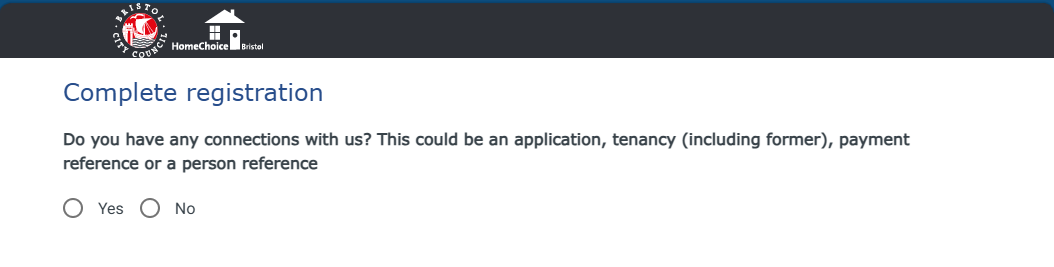
You can now complete your registration by reconnecting using your Person Reference Number. Select ‘Yes' when asked if you have a connection with us.
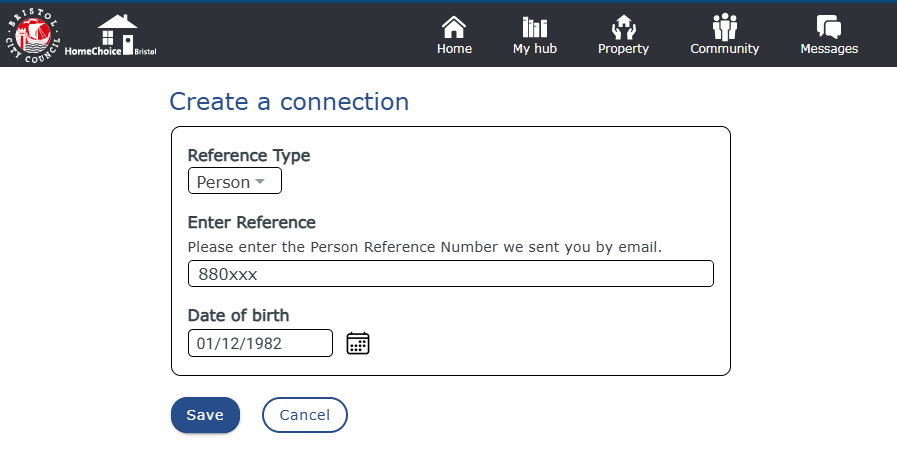
- Select the Reference Type ‘Person'.
- Enter the Person Reference Number we sent you.
- Enter your date of birth using the format DD/MM/YYYY or use the date picker.
Select 'Save'.
Further help
If you have any questions or need support, you can:
- Send us an email at hcb.enquiries@bristol.gov.uk
- Call us on 0117 922 2200